
OGAM GUIDE
Video Chat with Strangers Using Live Translation | OGAM
Meet people worldwide through video chat with OGAM’s live translation. Learn how to start conversations, improve translation accuracy, protect your privacy, and talk safely with strangers.
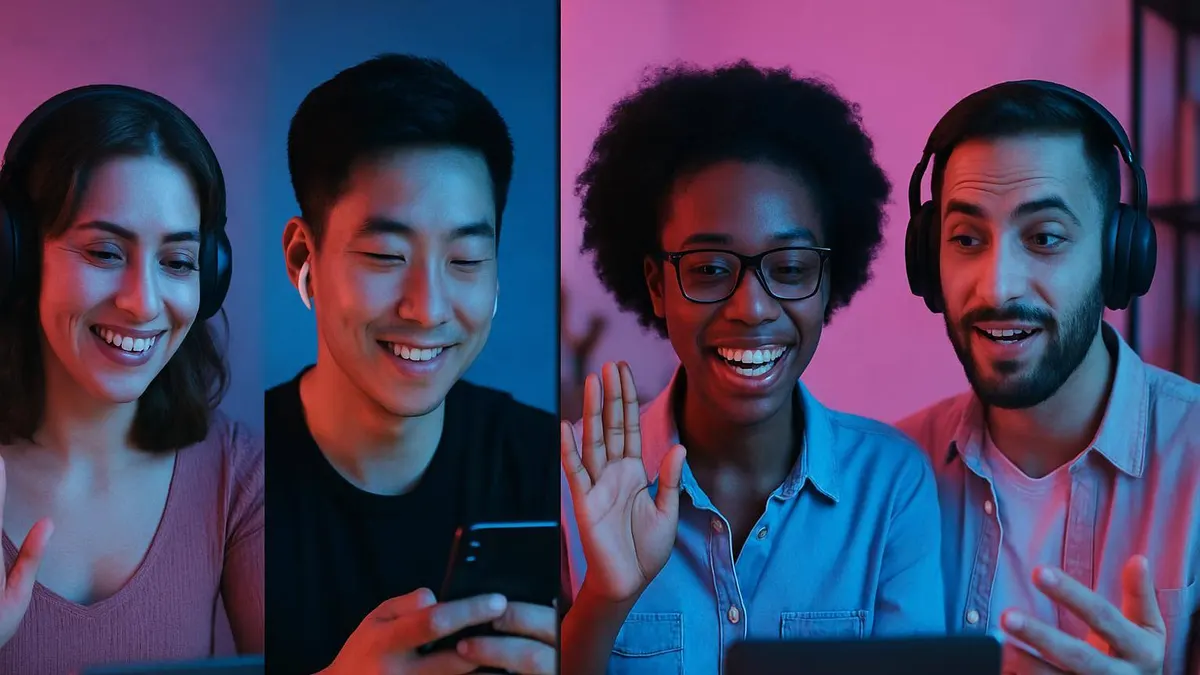
Video Chat with Strangers and Live Translation
Looking for a video chat with strangers who speak another language? OGAM combines global video chat with live AI translation so adults can meet people abroad without needing fluent English or another shared language. Use short sentences, confirm important details, and keep your personal information private while getting to know someone new.
For the best experience, test your camera and microphone before matching, choose a well-lit background, and check that your preferred translation language is selected. If a translation sounds unclear, rephrase it in simpler words. OGAM’s block and report tools are available whenever a conversation feels uncomfortable.
Ever wished you could interact with people from other countries over video chat, but felt intimidated by language differences? Whether it's for work, new friendships, or exploring online communities, cross-cultural encounters are becoming part of everyday life. While fluent knowledge of English, Japanese, French, and more would be ideal, that's just not practical for most of us.
That’s where OGAM, with its real-time AI translation for video chat, makes global conversations accessible. OGAM enables you to connect face-to-face with users who speak different languages and helps keep the communication flowing. If you’re new to video chatting with people from abroad, or just looking for ways to make your OGAM experience smoother, this guide is for you—packed with practical steps, strategies, and safety tips.
Let’s dive into why video chat is a must for real-time cross-cultural exchange, how OGAM stands out, and how to make the most of the platform in any situation.
Why Use Video Chat? The Benefits
Text messages can miss nuance, tone, and body language, increasing the risk of misunderstandings when chatting with foreigners. Video chat bridges these gaps—especially on OGAM:
- Instant Emotion Sharing: See smiles, gestures, and expressions, instantly conveying tone and feelings.
- Natural Conversation Flow: Adapt the pace and topic as you go, responding to real-time cues.
- Expand Your Global Network: Video calls let you meet people from distant countries and genuinely experience other cultures.
- AI-Powered Real-Time Translations: Whether it’s small talk or deeper conversations, OGAM’s translation helps you communicate smoothly, whatever your language level.
In short, video chat on OGAM offers richer, more memorable interactions than simple text messaging—no advanced language skills required.
What is OGAM Video Chat?
OGAM is a global chat platform supporting voice, video, and text, bringing together users in Hangul and many other languages for live conversations. What makes OGAM unique?
- Multiple Chat Modes: Chat face-to-face, voice only, or text—switch between modes as you like.
- AI Translation in Real-Time: As you chat, messages and spoken words are automatically translated on the fly, including questions and emotional expressions.
- Diverse User Base: Connect with adults from all over the world for casual chat, culture exchange, language practice, and more.
- Safety Controls: Self-manage your chat environment with reporting and blocking tools for any unpleasant or suspicious interactions.
OGAM goes beyond just video chat—it's a space for connecting across languages and cultures safely and easily.
Step-by-Step: Starting a Video Chat with a Foreigner on OGAM
Want to make the most of international video chat with OGAM? Here’s how to get started:
- Sign Up & Build Your Profile: Choose a profile photo that clearly represents you and write a short self-introduction mentioning your language(s) and interests. This helps match you with compatible users.
- Set Your Language & Country Preferences: Filter users based on language or region for faster, more relevant connections.
- Find & Invite Chat Partners: Use OGAM’s search options to browse by name, region, or interests, then send an invite to connect.
- Start a Chat Room: Once matched, choose your preferred mode—video, voice, or text—and open a chat.
- Enable Real-Time Translation: Before starting, make sure the translation feature is switched on. Everything you say or type will be instantly translated for your chat partner.
You might feel shy or awkward at first, but if you follow these basic steps, you’ll find yourself chatting more naturally in no time.
Tips for Effective Real-Time Translated Conversations
Great as real-time translation is, knowing how to use it efficiently is key. Here are OGAM’s top conversation tips:
- Keep Sentences Clear and Simple: Avoid overly long, complex sentences. One idea per message works best.
- Be Mindful of Cultural Differences: Even ordinary expressions can have different connotations in other countries. A joke that works in one culture may fall flat in another.
- Watch for Misunderstandings: If translation seems off or the other person looks confused, clarify or restate what you meant.
- Example:
- Do: “How was your day?”
- Don’t: “Tell me in detail about anything interesting you did today. I went for a walk this morning, and I ran into a cat, and...” (Too long and complex)
With these tricks, you’ll boost conversation quality and create more meaningful exchanges with people worldwide.
Creating a Safe & Enjoyable Chat Environment
Safety comes first, especially with new online contacts. OGAM provides various protections—here’s how to stay secure:
- Protect Your Privacy: Don’t share personal info (address, phone number, etc.) at the start.
- Use Block & Report Features: If anyone is rude or inappropriate, block or report them immediately.
- Join from a Safe, Neutral Space: Avoid overly personal or revealing backgrounds in your video.
- Be Cautious with Screenshots or Recording: Assume your chat could be captured—don’t share sensitive details.
- Recognize Discomfort: If you feel uneasy, anxious, or threatened—end the chat promptly. You are under no obligation to continue.
Always set up your space and settings for maximum comfort and control.
Essential Video Chat Checklist
Preparedness improves both video and conversational quality. Before chatting, check:
- Network Connection: Stable Wi-Fi or mobile data.
- Device Function: Test your camera and microphone.
- Background & Lighting: Avoid mess, glare, or backlighting.
- Appearance: Dress presentably (no need for formalwear, but tidy is good).
- Notepad or Printouts: Keep notes, key phrases, or translation aids handy.
A little preparation goes a long way for smoother, more confident interactions.
Practical Uses of OGAM Video Chat in Different Scenarios
- Making Friends & Culture Exchange: Start by sharing your hobbies and daily life to break the ice. The same in return helps deepen rapport.
- Language Exchange: Ask about unknown phrases and encourage your partner to speak slowly. Try things out—OGAM’s translation has your back.
- Work & Meetings: For professional chats, clarify goals and etiquette upfront; record or share notes only with permission.
- Study Groups & Hobby Circles: Invite like-minded people and dive into lively group chats with OGAM’s translation actively smoothing things out.
Mix video, voice, and text modes as needed—OGAM’s flexible tools make global communication easy.
Example Phrases to Start Your Video Chat
Having some basic phrases ready can make your first OGAM video chat much smoother:
Starting the Conversation
- “Hi! My name is ___. Nice to meet you.”
- “Where are you from?”
- “How’s the weather today?”
Showing Empathy
- “That sounds interesting!”
- “I’ve had a similar experience.”
Keeping the Chat Going
- “What hobbies do you enjoy?”
- “Have you ever visited Seoul?”
Wrapping Up
- “I enjoyed talking with you today. Let’s chat again soon!”
- “It was nice meeting you. Have a great day!”
Practice these, and you’ll soon find yourself chatting comfortably with people from all over.
Common Video Chat Mistakes & How to Handle Them
Here are typical video chat hiccups—and what to do:
| Common Mistake | Solution | |-------------------------|--------------------------------------| | Speaking too fast | Slow down and check the translation. | | Background noise | Move to a quiet space. | | Cultural misunderstandings| Ask and clarify politely. | | Poor connection | Reconnect Wi-Fi or restart device. | | Audio/video sync issues | Leave and reenter the chat room. |
Don’t panic: mistakes happen to everyone. Just troubleshoot step by step, and remember your partner may be new to this too.
FAQ: Frequently Asked Questions
Q1. How good is OGAM’s real-time translation? OGAM’s AI translation is designed for everyday conversation and basic emotional expressions. Complicated jargon or long monologues may not always be accurate—stick to clear, simple sentences for best results.
Q2. What if I run into technical difficulties during a chat? First, check your internet. If issues persist, restart the app or consult OGAM help. For hardware (camera/mic) issues, double-check device settings.
Q3. How do I handle cultural misunderstandings? Don’t hesitate to ask questions, and briefly explain your own background if needed. Turning misunderstandings into discussion topics can actually enrich the conversation.
Q4. How do I protect my personal info during chats? It’s safest not to share your real name, contact info, or address at first. Use OGAM’s block/report tools immediately if needed.
Q5. What countries are most OGAM users from? OGAM users come from all over the world. You can focus on specific countries by adjusting your language and country preferences.
Q6. Are chat histories stored? Chats are generally only stored if you and your partner agree. Video/audio isn’t saved automatically; always seek permission for recording.
Q7. What should I do if my partner behaves inappropriately? End the chat, block, and report them right away. OGAM’s safety features are always ready to help you stay secure.
---
Now that you know the basics, let’s get practical: how do you make real OGAM video chats run smoothly?
Real-Time Video Chat Strategies for Different Situations
1. Breaking the Ice
The first few moments can be awkward. Instead of just “Hi. How are you?” ask about the person’s day or reference the translation feature: “Is the weather hot in your country today? Here in Korea, it’s pretty warm,” or “I’m a bit nervous because it’s my first time using OGAM’s translation—thanks for your patience!”
Being honest about your language skills or using the app for the first time helps put everyone at ease.
2. Deepening the Conversation
Steer beyond yes/no questions like “What do you do for fun?” and try, “What activities do you enjoy on your days off? Any fun experiences you’d like to share?” This encourages richer responses and helps you learn more about the other culture.
3. Navigating Cultural Differences
Avoid blunt questions like, “Why does your country do that?” Try, “In Korea, we usually do this in that situation. How about in your country?”
Showing curiosity and sharing your own context help minimize misunderstandings and invite more open dialogue.
---
Sample Scripts: Smoother Global Video Chat
Example 1: Sharing Hobbies
- Not great: “Do you like music?” / “Yes.”
- Better: “Do you have any favorite songs lately? Why do you like them?”
- Partner: “Recently, I’ve been listening to upbeat tropical house music. It just puts me in a good mood.”
Pro tip: Keep asking about their responses to keep the interaction lively.
Example 2: Handling Translation Errors
- If your literal translation “I’m serious about Korean food” confuses the other person,
- Try: “Sorry, in Korean, ‘진심이다’ (jinsim-ida) means ‘I’m really passionate about it.’ So ‘I love Korean food’ is probably clearer.”
A bit of humor and explanation smooths things over if translation gets awkward.
Example 3: Partner Talks Too Fast
- Politely say, “Could you please speak a bit more slowly? I’m using live translation, so that would help me a lot. Thank you!”
Be honest—people are usually happy to adjust the pace.
---
Communication Nuance & Cultural Context
Direct vs. Indirect
Korean communication often leans toward humility and politeness, while Western styles may be more direct. Translating overly indirect language word-for-word can sound timid in English, so feel free to adapt to a slightly more direct tone.
Using Humor or Jokes
Complex or culturally loaded jokes might get lost—even with translation. Instead, use simple compliments, smiles, and positive gestures, which transcend language.
---
Troubleshooting: Common Issues in Real-Time Translated Video Chat
1. Translation Delays or Errors
- Problem: Late or inaccurate responses.
- Fix: Stick to clear, short sentences. Double-check for important details.
2. Slang/Proverbs Don’t Translate Well
- Problem: Unfamiliar expressions get muddled.
- Fix: Avoid idioms, slang, or dialects. If you must explain, say “In my country, we say…” and then paraphrase.
3. Technical Glitches/Connection Drops
- Problem: Choppy video or sound.
- Fix: Be upfront: “The connection seems unstable. Let’s try reconnecting or switch to text chat.”
---
Picking a Video Chat Partner & Building Rapport
Real-time translation isn’t always perfect, so consider these criteria:
- Partners with a similar language skill level
- Shared topics and willingness to converse
- Simple, polite language
- Good video etiquette (lighting, background, camera angle)
- Openness to cultural differences
Tip: Before you start, share a quick self-intro and mention your style and favorite phrases—it’ll help things go smoother. Keeping notes on what works and what doesn’t can help you keep improving.
---
Level-Up: Upgrading Your Video Chat Experience
- Prep Phrases: Keep a memo of useful greetings, questions, and answers ready to paste into chats if you get stuck.
- Ask for Correction: Encourage your partner to help you with more natural ways to say things—it's a great learning opportunity.
- Follow-Up Questions: Practice picking up on details in their answers to keep the conversation going.
- Track Cultural Insights: Keep a mini-journal of unique expressions, gestures, and etiquette for different countries.
With these strategies, your OGAM chats will become more engaging and rewarding every time.
In Summary: Develop Your Own Global Communication Style with OGAM
Video chatting with people worldwide can seem daunting at first. But with OGAM’s real-time translation and safety features, anyone can enjoy global communication safely and confidently. Use the step-by-step instructions, tips, and checklists above to find your style and build lasting connections.
Don’t hold back—take this chance to meet new people and gain fresh perspectives. Start your first safe, global video chat on OGAM today!
More Essential OGAM Chat Guides
- [How to Choose a Free Chat App: OGAM’s Free Features & Safety](./ogam-free-chat-guide)
- [The Complete Free Video Chat Guide: Meeting New Global Friends on OGAM](./ogam-free-video-chat-guide)
- [Random Chat Matching Tips: OGAM Profile, Greetings, and Chat Advice](./ogam-random-chat-matching-tips)
- [Comparing Video, Random, & Free Chat: Choosing the Right OGAM Service](./ogam-chat-types-comparison)
- [Making Global Friends by Video Chat: Live Translation Tips](./video-chat-global-friends-guide)
If you’re new to OGAM’s video chat, learn the basics of connecting and translation first, then check out our guides on free features, random matching, and safety for every search need.
Getting Started: First Steps for OGAM Video Chat Beginners
Most people want to know how to start video chatting right away. On OGAM, simply create your account, fill in your language preferences and interests on your profile, and then use the matching screen to find a partner. Your profile photo should clearly show your face—but avoid sharing obvious identifiers like home addresses, company names, or school logos.
When connected, test your camera and mic up front. Open with simple checks like “Can you hear me?” or “Is the translation showing on your screen?” Keep things short and clear, especially if you speak different languages; separate your greeting, introduction, and questions into distinct messages. This helps OGAM’s live translator provide accurate context.
Pre-Chat Checklist
- Position your lighting in front to avoid backlighting your face
- Make sure no mail, company signs, or addresses are visible in the video background
- Check your Wi-Fi or mobile data status
- Confirm that your and your partner’s translation settings are correct
- Locate the report/block button in advance
- Never accept external links or requests to switch to personal messengers from the start
How to Use Real-Time Translation Smoothly During Video Chat
In translated chats, sentence structure matters even more than speaking speed. Instead of saying, “I live in Korea, love music, and am planning a trip next month,” break it down: “I live in Korea. I like music. I’m planning to travel next month.” Always double-check names, places, or specific date/time details in the translation.
If a translation comes out awkward, switch to even simpler vocabulary rather than repeating the same phrase. Avoid jokes, slang, or abbreviations until you get to know your partner, as these can cause confusion or awkwardness. If in doubt (“lost in translation”), say, “Let me try to say that a different way.” This keeps the conversation positive and productive.
Video Chat: Frequently Asked Questions
Can I start video chat for free? Service features may vary by plan. Check which OGAM features are free versus coin or premium in advance; note that your mobile carrier may charge for data usage.
Can I chat with foreigners even if I don’t speak English? Absolutely. Use OGAM’s real-time translation and stick to short, clear sentences. Always review critical information after translation.
What if someone makes uncomfortable requests during chat? Immediately end the session and use the block/report features. Do not negotiate or explain if someone asks for money, personal info, ID, or explicit content.
Why is my video chat lagging or breaking up? Network speed, device camera quality, or other running apps may affect performance. Try lowering video quality, closing background apps, and connecting over a stable network.
More OGAM Guides
- [How to Use Free Video Chat Safely](./ogam-free-video-chat-guide)
- [Random Chat Matching & Starting a Conversation](./ogam-random-chat-matching-tips)
- [Comparing Free, Video & Random Chat Options](./ogam-chat-types-comparison)